Enterprise AI now runs in two places at once. Teams build AI systems and buy AI products, while employees use AI assistants and agents every day, often on accounts IT never approved.
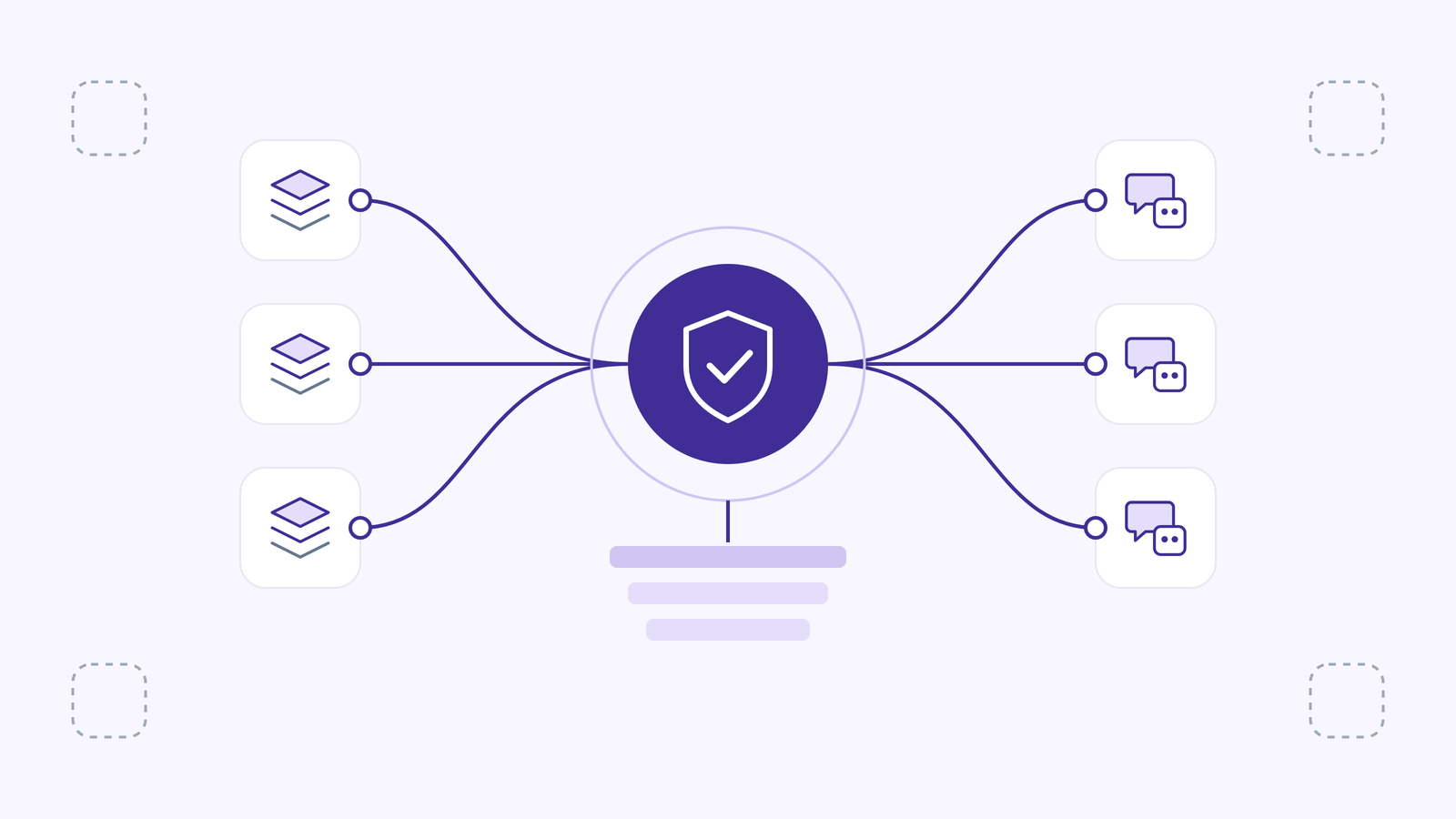
AI governance tools bring both under one set of controls: an inventory of what runs, rules that are enforced, risk ratings, audit evidence and spend limits.
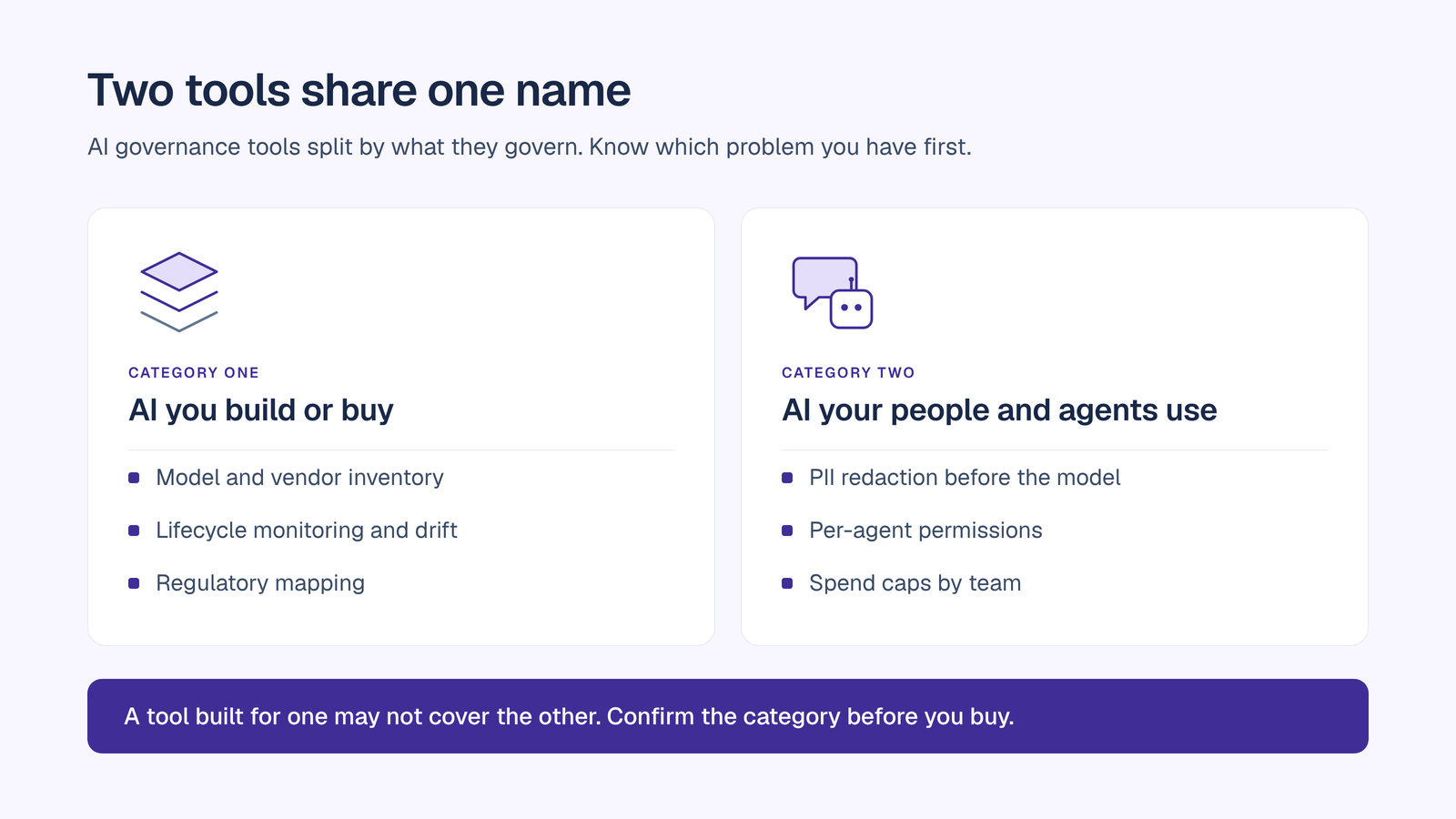
This guide compares seven AI governance tools and platforms, lists OrgLogic first, and explains how to choose between them. Two categories sit under the same name. Some tools govern the models and AI systems an organization develops or purchases. Others govern the AI that employees and agents use at the point of work. Knowing which problem you have is the first step in choosing.
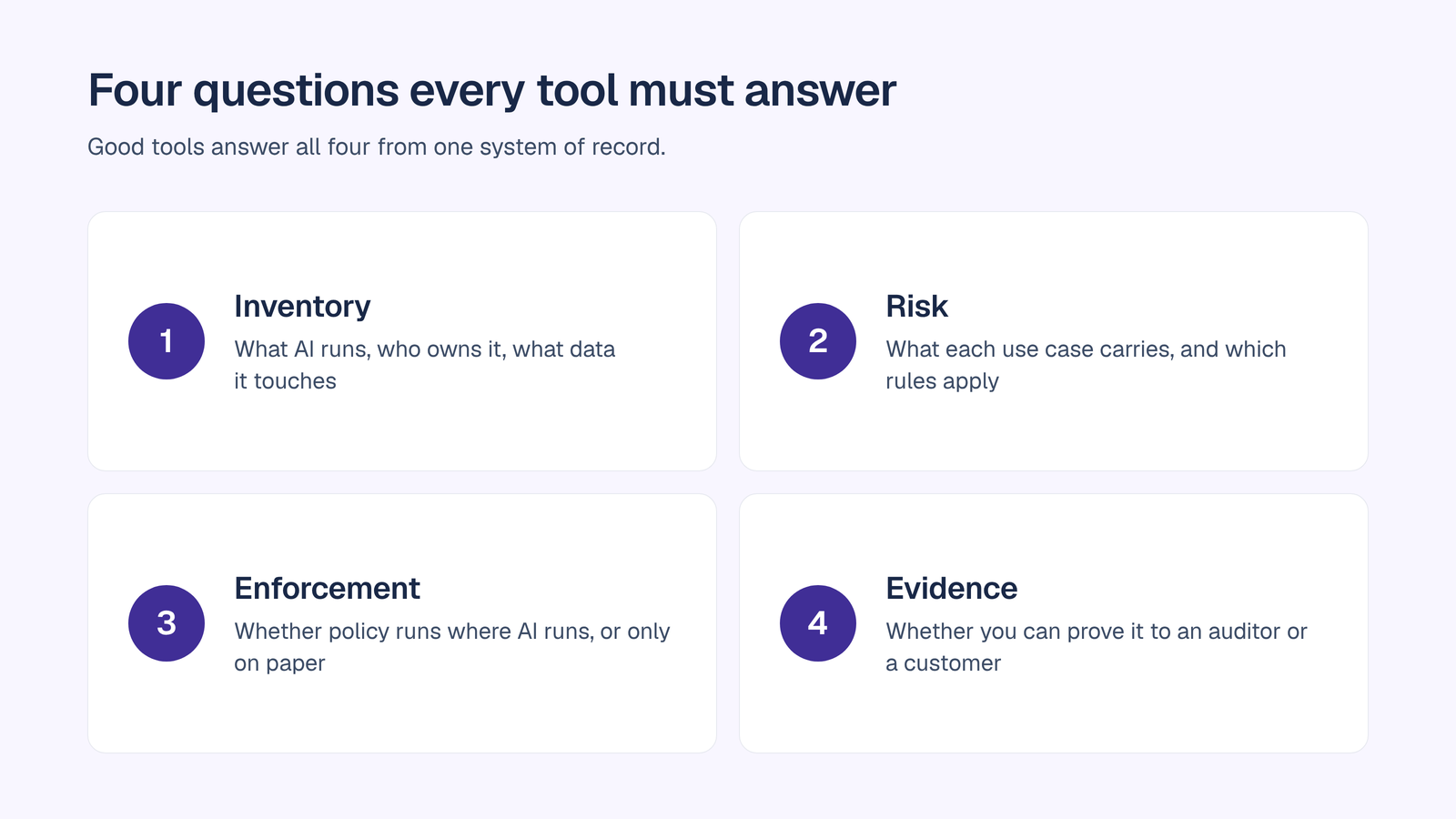
AI governance tools answer four questions for the business:
OrgLogic is listed first. Each entry describes what the tool governs and its capabilities as stated on its own site or in the cited source.
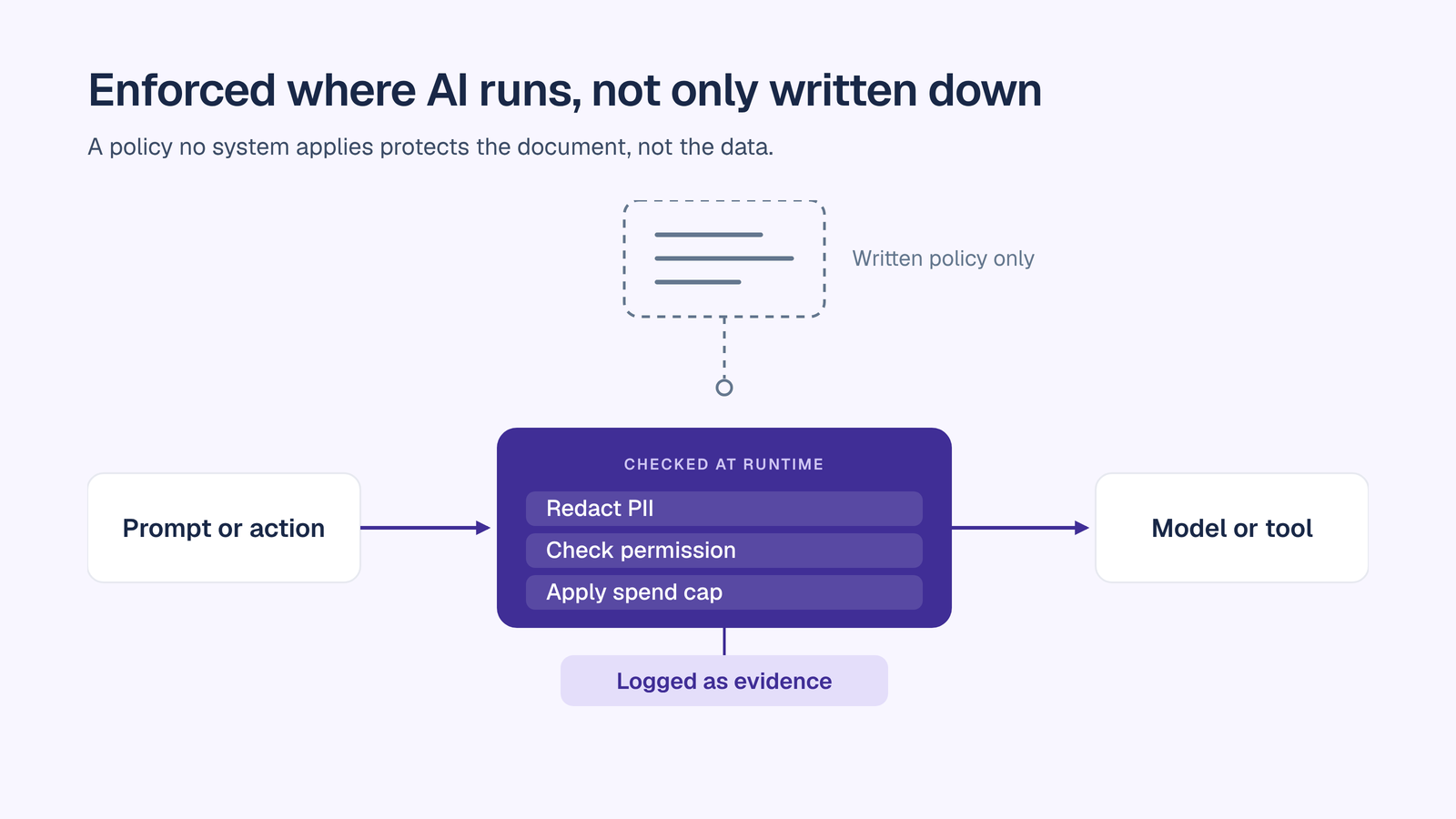
OrgLogic is a governed AI workspace where teams and their AI agents work on shared company knowledge. Its governance applies to the AI employees and agents use every day:
Governance is on every plan, including Free. Pricing is $8 per seat per month on annual billing ($10 monthly), with up to 25 users free. Model usage is billed separately: your own keys at zero surcharge, or OrgLogic-provisioned usage billed at cost plus 6%. Each active Free user adds $20 to a shared credit pool, up to $500 at 25 users.
Governance is enforceable on traffic that flows through OrgLogic. See the AI governance platform page for the full control set.

Credo AI is an enterprise AI governance platform sold alongside advisory services. It keeps a registry of use cases, models, vendors and agents in one system of record, and applies policy packs covering the EU AI Act, NIST AI RMF, ISO 42001 and 20+ standards. Risk scores update as models and vendors change, and the platform generates evidence and audit trails for reporting. Its scope is AI systems an organization builds or buys, including vendor risk assessment.
IBM’s watsonx.governance service is built around the lifecycle of models and AI systems. Its service set includes AI factsheets for documenting models and Watson OpenScale for monitoring them. IBM positions the service for responsible, transparent and explainable AI. IBM prices by plan, so confirm current rates on IBM’s plan page before budgeting.
Holistic AI describes its platform as a SaaS system to govern enterprise AI systems at scale. It keeps a real-time inventory of AI use across the business, rates each system low, medium or high risk, and scores bias, robustness, efficacy, transparency and privacy separately. Bias testing examines whether outputs vary across groups in datasets the customer supplies, and the platform produces reports with mitigation recommendations.
OneTrust AI Governance keeps a centralized inventory of models, datasets, agents and vendors, with ownership and lifecycle status. Risk-tier classification and configurable intake and approval workflows route each use case to review, with templates for the EU AI Act, NIST and ISO 42001. Continuous monitoring checks models and agents for drift, quality, security and performance. Guardrails filter prompts and outputs, mask sensitive data, and allow or block actions by policy. Its focus is enterprise AI systems across their lifecycle.
Microsoft Purview’s Data Security Posture Management for AI focuses on data security for AI use within Microsoft 365. Microsoft lists Microsoft 365 E5 or E5 Compliance, or equivalent add-ons, as required for DSPM for AI. It sits within Purview’s data governance and security suite, so buyers should map licensing before they scope a rollout.
Monitaur is a model governance platform built for highly regulated industries, with its strongest focus on insurance. It serves as a central system of record for the models and AI products a business builds or buys, across predictive, generative and agentic systems. Monitoring continuously validates model performance through automated controls and objective validations.
For a fuller evaluation framework, read how to choose an AI governance platform.
OrgLogic applies governance where AI runs, so the same controls cover every team without a separate rollout for each department. Spaces give each team a shared place for its knowledge and agents, and every agent has a named accountable manager. Every thread message and agent action lands in the audit trail, searchable and exportable for auditors. Enterprises can deploy into a dedicated single-tenant VPC or on-prem.
Two customer results show the effect:
Where to go next:
AI governance tools matter only if they govern the AI your company actually uses. Start with an inventory, choose the category that matches your largest exposure, and insist on enforcement and evidence, not documentation alone. Use this list as a shortlist, then test the top two on live traffic.
AI governance tools give an organization one inventory, policy, risk and evidence layer for the AI it runs. They record which models, AI systems and agents are in use, rate their risk, enforce rules, keep audit trails and report on compliance.
Some do and some do not. Tools built for AI systems a company builds or buys focus on that lifecycle. Tools built for the point of work govern the assistants and agents employees use, with audit trails, PII redaction and budget limits. Check which category a tool covers before you buy.
AI governance decides who may use which AI, under which policies, and what evidence proves it. AI security protects systems and data from attack and misuse. The two overlap on data protection, audit logging and access control, and most enterprises need both.
Pricing varies. OrgLogic charges $8 per seat per month on annual billing ($10 monthly), with up to 25 users free, and bills model usage separately. Other vendors price by plan or by quote, so confirm current rates with each vendor.
The EU AI Act applies risk-based obligations, so tools that classify use cases by risk and generate documentation help. Article 50 transparency obligations took effect on 2 August 2026. Annex III high-risk obligations are deferred to 2 December 2027 under Regulation (EU) 2026/1744.
Start with an inventory of the AI in use, including tools employees adopted on their own. Assign an accountable owner to each system and agent, set policies the tools can enforce, then pilot a platform on live traffic before committing to a rollout.

Single-model AI tools lock you into one provider at $25-60/seat. OrgLogic is a multi-model AI workspace with named Agents that act in your systems (Salesforce, Jira, Confluence, ServiceNow), packaged Skills for domain expertise, and full governance at $8/seat. You get every model, not just one.

Bring Your Own Key means you connect your own API keys from OpenAI, Anthropic, Google, or any provider. Your data flows directly to the model provider. OrgLogic never sees, stores, or processes your prompts or responses. Zero surcharge on your own keys. This is the #1 requirement for security teams evaluating enterprise AI platforms.
An Agent is a named AI worker with a defined job, connected to your systems via Connectors. A Skill is packaged expertise that teaches an Agent how to do specific work consistently. Unlike a generic chatbot, a Deal Prep Agent with a Salesforce Connector pulls real CRM data and produces structured call briefs. Skills are reusable across Agents, versioned, and authored in plain language.
Every Workspace includes per-Agent Connector permissions (each Agent gets scoped access, not blanket access), Agent-level audit trails, automatic PII redaction, per-team budget controls, model-level access controls, and configurable guardrails. Governance is the default environment on every plan, including Free. SOC 2 Type II, ISO 27001, HIPAA, and GDPR compliant.
The Free plan covers 25 users with $500 in credits ($20 per active user, pooled). The Business plan is $8/seat/month (annual) or $10 monthly. The seat fee covers the full platform: Agents, Skills, Connectors, governance dashboard, 5 surfaces, and all features. Model usage is separate: BYOK at zero surcharge, or OrgLogic-managed models at cost + 6%.
80% of employees already use AI tools without IT approval. OrgLogic replaces fragmented, ungoverned tools with one AI workspace employees actually want to use, available on web, Slack, Teams, Chrome, and API. One customer, a regulated tech company with 1,500 employees, reduced shadow AI by 91% within 6 weeks while cutting AI spend by 70%.
OrgLogic Connectors integrate with Salesforce, Jira, Confluence, ServiceNow, SharePoint, Google Workspace, Slack, SAP, and more via custom APIs. Each Connector has per-Agent permission scopes controlled by IT, so your Deal Prep Agent only accesses the Salesforce objects you approve. The Connector library is growing and new integrations ship regularly.
Self-serve signup takes 30 seconds. Connect your API keys in 2 minutes. Deploy pre-built Agents for sales, support, engineering, HR, and legal on day one. The Free plan (25 users, full governance) lets you pilot without procurement. One customer had engineers adopting within 2 weeks across Slack and Chrome. Enterprise plans add SSO/SCIM, VPC, and on-prem deployment.
