Most companies did not choose their AI stack. It accumulated. One department bought a chat subscription, another built agents on raw APIs, engineering has a coding assistant, and somewhere in the middle a few people are pasting customer data into personal accounts.
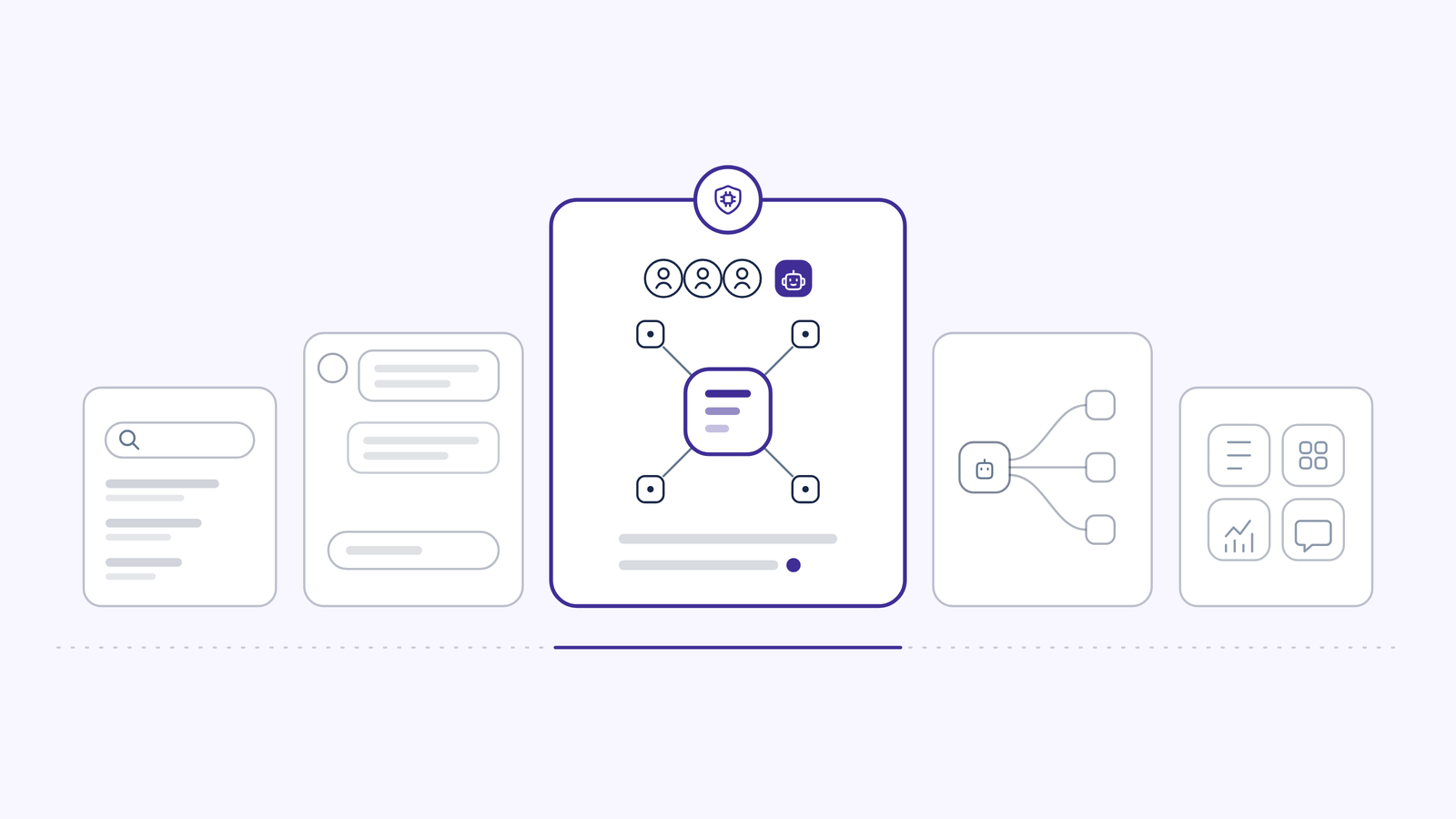
An enterprise AI workspace is the correction: one governed place where teams get every model, agents act inside real systems, and IT can see and control all of it.
IBM found 80% of employees use unsanctioned AI tools (IBM, 2025), and IBM puts the additional cost of a breach involving shadow AI at $670K (IBM, 2025). This guide compares the five platforms worth shortlisting in 2026, explains the pricing structures underneath them, and gives you the questions that actually separate them.
Competitor pricing and capabilities were verified against vendor documentation on 4 September 2026. This market moves monthly, so confirm before you sign.
An AI workspace for teams is a platform that gives a group of people shared access to multiple AI models, shared knowledge grounded in the company's own systems, shared agents that do real work, and one set of governance rules across all of it. The distinction from an individual AI subscription is that the unit of account is the organization, not the user.
That changes four things in practice:
Shared context instead of shared prompts. A team workspace connects to the systems where work lives, so answers cite the source document and its freshness rather than depending on whoever remembered to paste the right background in.
Agents as team assets. One person builds an agent, publishes it, and the whole department uses it. The agent has an owner, a defined scope, and a record of what it did.
Governance that survives scale. Ten people using AI informally is a habit. Five hundred people using AI is an audit surface. A team workspace exists so that the second one is defensible.
Cost you can attribute. Spend broken out per team, per model and per agent, with caps that actually stop consumption, rather than a flat per-seat line item with no visibility underneath it.
If you want the fuller definition and the architecture behind it, start with our guide to what an AI workspace is. If you are already shortlisting, keep reading.
The same workspace does very different jobs depending on which team is holding it and which industry it is operating in. Here is where the work actually lands.
Engineering. Pull request review against the team's own standards, debugging across logs and tickets, and documentation that updates when code changes. Agents work in GitHub and Jira rather than producing text a developer has to transplant by hand. If you are scoping this, see how to build an AI agent.
Sales. Account history, open opportunities and past call notes assembled into call prep from the CRM, proposal drafting against approved positioning, and territory research. The work happens in Salesforce, not in a tab beside it.
Customer support. Ticket triage and response drafting grounded in the actual knowledge base rather than an approximation of it, working across the ticketing system and the documentation together.
Legal. Contract review over the document repository, risk flagging against the clauses that matter to your business, and compliance document drafting, with a record of what was reviewed and when.
HR and recruiting. Policy questions answered with a citation to the specific paragraph of the handbook, job description generation, candidate screening against a defined rubric, onboarding question answering, and interview preparation.
Finance and procurement. Invoice and document analysis, variance explanation, vendor and pricing research, and reporting pulled from the systems of record instead of rebuilt in a spreadsheet each month.
Marketing. Content production in a defined brand voice, campaign research, localization and translation, and competitive monitoring.
IT and operations. Internal request handling, incident summarization, runbook and knowledge article drafting, and the governance layer itself, which is where IT gets one view of every AI request in the company. Sequencing that rollout is covered in our AI implementation strategy guide.
OrgLogic is the AI workspace that sits above the models. Teams get every leading model in one governed place, with model switching mid-conversation and smart routing per task, so no single vendor's roadmap or pricing becomes your architecture. Named agents built in a no-code builder go beyond chat, carrying packaged expertise through reusable Skills and acting inside Salesforce, Jira, Confluence, GitHub, ServiceNow, SharePoint and Google Workspace, on demand, on a schedule, or triggered by an event.
Underneath both sits the Company Brain, a grounded knowledge layer where answers cite the source document and its last-synced date, and the system says it does not know when retrieval comes back thin. Personal indexing runs under each user's own credentials, so an index physically cannot contain a document that user's token could not fetch.
The governance is the part that closes deals. BYOK means data flows directly to the model providers under your own enterprise keys at zero surcharge, and OrgLogic never sees it. PII redaction runs before the prompt reaches a model, not after. Security approves read or write scope per agent per connection and can revoke it in seconds. Every chat and agent action is logged against a user, an agent, a connector and a model, searchable and exportable. All of it is on every plan, including Free.
It also covers AI you did not build here. External agents and third-party AI clients can be registered and routed through the OrgLogic AI Gateway, where each gets its own credential and inherits your model rules, budget caps, PII redaction and audit logging. Scope is model traffic routed through the gateway.
Pricing: Free up to 25 users with governance included. $8 per seat per month on annual billing, $10 monthly. Model usage separate: BYOK at zero surcharge, or OrgLogic-provisioned at cost plus 6%. Enterprise is custom with a 100-seat minimum. Full detail on pricing.
Glean is search-first and has been since before the current AI cycle. Its strength is broad, ranked retrieval across a wide set of connected systems, with permission-aware results and an assistant layer built on top. If you have thousands of employees, a decade of accumulated documents across many systems, and a genuine findability problem, Glean's connector breadth and ranking maturity are real advantages and it is the strongest choice in this list for that job.
We break the two platforms down side by side in OrgLogic vs Glean. It has added agents and an assistant experience on top of the search foundation, and Enterprise Flex seats can be discounted for customers who supply their own model keys or self-host in their own private cloud.
Pricing: quote-only, no published price list. Buyer and analyst reports in 2026 put the base search license around $45 to $65 per user per month, with a Work AI add-on reported around $15 per user per month on top, minimum commitments commonly around 100 seats, and minimum annual contracts reported near $50,000 to $60,000. Enterprise Flex adds consumption-based FlexCredits for compute-intensive queries. Treat all of these as reported estimates rather than list prices.
Langdock is a model-agnostic AI workspace built EU-first, with GDPR compliance and EU hosting as the organizing principle rather than a feature. Teams get chat and custom agents across leading models, with governance controls, SSO, SAML and SCIM, and dedicated on-premise or private cloud deployment for larger organizations. It supports bringing your own model keys for control over model costs and access to models outside the included pool. Workflows handle automation as a separate product layer.
Pricing: Business Standard at EUR 25 per user per month, with a higher-priced Business Max tier for heavy users, volume discounts by seat band, and roughly 20% off for annual billing. Workflows are priced separately at the workspace level by monthly run volume. API model usage is billed per token with a markup. Per Langdock's pricing page, governance is included at no extra cost until 1 January 2027, after which add-on pricing applies. Enterprise terms with dedicated deployment for organizations above 1,000 users.
Claude Enterprise is Anthropic's plan for deploying Claude across a workforce, and it is a strong product with a serious enterprise posture. Employees get Claude across web, desktop and mobile, plus Claude Code for engineering work and Claude Cowork, along with connectors into company systems and Skills for packaging repeatable expertise. Anthropic publishes SOC 2, ISO 27001, GDPR and CCPA compliance, and the Enterprise tier adds SCIM provisioning, role-based access control, audit logs with OpenTelemetry monitoring, a Compliance API, usage analytics, spend controls, data retention controls and a HIPAA-ready offering.
For engineering-led organizations in particular, the combination of a frontier assistant and Claude Code under one enterprise agreement is genuinely compelling, and it is why Claude shows up on so many shortlists.
The distinction worth being precise about is scope rather than quality. Claude Enterprise governs Claude. It gives you excellent control over one model family and the traffic that runs through it, and no visibility into the other AI running in your company, which for most organizations of this size is several other things. That is why we see Claude and a workspace layer coexisting more often than competing: Claude keeps working, routed through a gateway that applies one set of policies and produces one audit trail across every model your company touches, Claude included. A workspace above it adds multi-vendor model choice, agents acting in non-Anthropic systems, and coverage of the AI nobody procured. For the full breakdown, see OrgLogic vs Claude Enterprise.
Pricing: $20 per seat per month, billed annually, plus usage billed separately at standard API rates. Anthropic unbundled tokens from the seat fee, so the seat covers platform access and carries no included usage allowance, and total cost scales with the models and tasks your teams run. Optional configurations such as US-only inference carry a premium on usage rates. Model the token bill before signing, since for active teams it typically exceeds the seat line.
Copilot's advantage is not really comparable to the others, and pretending otherwise would be dishonest. Nothing else in this list puts AI inside Word, Excel, PowerPoint, Outlook and Teams the way Copilot does, grounded in Microsoft Graph and respecting existing M365 permissions. If your company runs on Microsoft and your teams live in those applications, Copilot will deliver value no external workspace can replicate.
The honest framing is that Copilot and an AI workspace are not an either-or. Copilot governs what happens inside Microsoft. It does not give IT visibility into the AI running everywhere else. This is why the strongest pattern we see is Copilot for in-app productivity, with a workspace layer above it providing multi-model access, agents in non-Microsoft systems, and one audit trail across the model traffic routed through it.
Pricing: Microsoft 365 Copilot at $30 per user per month for larger organizations, on top of a qualifying Microsoft 365 base license such as E3 or E5, which is where the real cost sits. Microsoft 365 Copilot Business at around $21 per user per month for organizations of roughly 10 to 300 seats. Microsoft 365 Copilot Chat is included at no additional per-user charge with eligible Microsoft 365 plans, but it is not grounded in your organization's data. Copilot Studio agent usage is metered separately through consumption credits.
Strip the category down and every serious platform is making a bet on three things. Grade a shortlist on these and the differences stop being marketing.
The workspace has to know your company, not just the internet. That means retrieval across the systems where work actually lives, answers that carry the source document and its freshness, and a refusal to guess when retrieval comes back thin.
What to test: ask a question only your company can answer, then check whether the response cites a document, whether it tells you how stale that document is, and what it does when you ask something the corpus genuinely does not cover. A confident answer to an unanswerable question is the failure mode that ends pilots.
The permission question underneath it: ask how the index is built. An index constructed under each user's own credentials cannot contain what that user could never see. A visibility filter applied over a shared index is a policy, and policies get misconfigured.
Answers are the floor. Value shows up when AI does the work inside the systems your teams already run, and that requires agents with real identity rather than a chat window with plugins.
What to test: have an agent complete a task end to end in a live system. Then ask who owns that agent, what credential it used, what scope that credential has, and where the record of what it did is stored. If the answer is a shared key and a usage log, you have automation. If it is a named agent with an accountable owner, a scoped credential per connection, and its own audit record, you have something security will approve at department scale.
Governance is not a feature list, it is a question of where enforcement sits relative to the model. If PII redaction, model permissions and budget checks run before the prompt leaves your environment, the platform is architected for governance. If they run after, you have reporting.
What to test: ask for an audit export and read it. Ask whether governance is available on the plan you intend to pilot on, because governance gated behind an enterprise contract means your evaluation runs ungoverned. Then ask the question most vendors dislike: what happens to the AI our employees are already using? A workspace that only governs itself leaves most of your shadow AI exactly where it was.
Chat is where all three become visible. It is the window, not the product. Judge a workspace on the three pillars and the chat interface stops being the thing you compare.
Every platform in this category bills on some mix of two things, and the mix tells you a lot about the vendor.
Bundled per-seat is the easiest to budget and the hardest to manage. You pay the same for the person who uses AI forty times a day and the person who logged in once in March. Worse, you cannot see consumption at all, so you have no idea which teams are getting value and no lever to pull when spend climbs. Finance likes the predictability right up to the renewal conversation.
Seat plus unbundled usage at list rates solves attribution and moves all the risk onto you. A low seat price looks like a win on the line-item budget while the real bill sits in the token column, uncapped and growing with adoption. This is the shape Claude Enterprise now uses, and it is why the seat figure and the annual cost are different conversations. If you evaluate this shape, ask what enforces a limit rather than what reports one.
Seat plus transparent usage with controls is where the category is heading, and it is the shape OrgLogic uses. A low platform fee for access and governance, with model usage separate and visible: spend attributed per team, per model and per agent, budget caps that hard-stop rather than alert, and the option to run entirely on your own provider keys at zero surcharge.
Seven questions, in the order that will save you the most time. The first three eliminate most of a shortlist, and our enterprise AI workspace checklist turns them into something you can take into a vendor call.
1. Where does policy enforcement sit relative to the model? If PII redaction, model availability rules and budget checks run before the prompt reaches a model, the platform is built for governance. If they run after, it is reporting with a governance label.
2. Is governance available on the plan we will pilot on? If audit trails and key management unlock only at the enterprise tier, your pilot runs ungoverned, which is the exact risk you set out to close. This one question reorders shortlists more often than any other.
3. What happens to the AI we already have? Most companies of 250 to 5,000 employees are running several AI tools right now. A workspace that governs only its own traffic leaves the rest invisible. Ask specifically whether external agents and third-party AI clients can route through the platform, and be precise about scope, since gateway governance typically covers model traffic rather than everything those clients do.
4. How is the knowledge index permissioned? Token-scoped per-user indexes are safe by construction. Filters over a shared store are safe by configuration. Ask which one, and ask what happens when someone changes teams.
5. What can each agent reach, and who approved it? Push for read and write scope per agent per connection, an accountable owner per agent, and revocation in seconds. Blanket connector access is the most common reason an agent project dies in security review.
6. Are we locked to one model vendor? Model leadership rotates and pricing moves. Ask whether you can switch models inside a conversation, route per task, and bring your own provider keys, including pre-purchased capacity.
7. Can we see and cap spend by team, model and agent? If the answer is a single per-seat line, you cannot prove ROI or find waste. If the answer is an uncapped usage meter, you have moved the risk rather than removed it. Ask for the cost breakdown a real customer sees, not the dashboard screenshot.
Then run a scoped pilot on real data with real permissions. Synthetic demos hide precisely the problems that matter: permission edge cases, stale documents, and what the system does when it does not know.
The best enterprise AI workspace for your team depends on what you are actually solving.
If what you need is every leading model in one governed place, agents that act in your real systems, grounded answers that cite their sources, and governance your CISO signs off on before rollout rather than after, that is what OrgLogic was built for, at $8 a seat with governance on every plan including Free.
Start free with governance on from the first message, up to 25 users, no migration required. Or book a discovery call and we will map it against whatever you are running today.
How much does an enterprise AI workspace cost per user? Platform fees in 2026 range from about $8 to $65 per user per month, and the structure matters more than the number. OrgLogic is $8 per seat on annual billing with model usage billed separately and transparently. Claude Enterprise is $20 per seat annually with token usage metered separately at API rates and no included allowance. Microsoft 365 Copilot is $30 per user on top of a qualifying Microsoft 365 license. Glean does not publish pricing, with buyer reports around $45 to $65 plus an AI add-on. Langdock starts at EUR 25 per user with workflows and model usage priced separately.
What is the difference between an AI workspace and a single-vendor AI assistant? A single-vendor assistant gives you one company's model family with that company's admin controls, and the best of them are excellent at it. An AI workspace is a layer above the models: multiple providers with routing and mid-conversation switching, agents acting across systems, a grounded knowledge layer, and governance over model traffic routed from other AI clients. Many companies run both, using the workspace to govern and extend rather than replace.
Do enterprise AI workspaces support bring your own key? Support varies and so do the economics, so ask two separate questions. First, can we connect our own model provider keys. Second, is there a surcharge for doing so. OrgLogic supports BYOK on every plan at zero surcharge, configured by an admin at the workspace level, with data flowing directly to the model providers. Some platforms charge a markup on model usage or discount seats in exchange, so confirm the specific terms.
Should governance be available on a free or trial plan? Yes, and this is one of the sharpest filters available to a buyer. If audit logging, PII redaction and key management appear only on the top tier, your evaluation runs without the controls you are evaluating, and you cannot show security a governed pilot. OrgLogic includes governance on every plan, including the free tier for up to 25 users.
How long does it take a team to adopt an AI workspace? Faster than most rollouts, because chat is immediately useful without configuration. In one verified deployment, a publicly traded autonomous vehicle company with ~1,500 employees saw engineers adopt within 2 weeks. Agent deployment takes longer, since it depends on connector setup and security review of each agent's scope.

Single-model AI tools lock you into one provider at $25-60/seat. OrgLogic is a multi-model AI workspace with named Agents that act in your systems (Salesforce, Jira, Confluence, ServiceNow), packaged Skills for domain expertise, and full governance at $8/seat. You get every model, not just one.

Bring Your Own Key means you connect your own API keys from OpenAI, Anthropic, Google, or any provider. Your data flows directly to the model provider. OrgLogic never sees, stores, or processes your prompts or responses. Zero surcharge on your own keys. This is the #1 requirement for security teams evaluating enterprise AI platforms.
An Agent is a named AI worker with a defined job, connected to your systems via Connectors. A Skill is packaged expertise that teaches an Agent how to do specific work consistently. Unlike a generic chatbot, a Deal Prep Agent with a Salesforce Connector pulls real CRM data and produces structured call briefs. Skills are reusable across Agents, versioned, and authored in plain language.
Every Workspace includes per-Agent Connector permissions (each Agent gets scoped access, not blanket access), Agent-level audit trails, automatic PII redaction, per-team budget controls, model-level access controls, and configurable guardrails. Governance is the default environment on every plan, including Free. SOC 2 Type II, ISO 27001, HIPAA, and GDPR compliant.
The Free plan covers 25 users with $500 in credits ($20 per active user, pooled). The Business plan is $8/seat/month (annual) or $10 monthly. The seat fee covers the full platform: Agents, Skills, Connectors, governance dashboard, 5 surfaces, and all features. Model usage is separate: BYOK at zero surcharge, or OrgLogic-managed models at cost + 6%.
80% of employees already use AI tools without IT approval. OrgLogic replaces fragmented, ungoverned tools with one AI workspace employees actually want to use, available on web, Slack, Teams, Chrome, and API. One customer, a regulated tech company with 1,500 employees, reduced shadow AI by 91% within 6 weeks while cutting AI spend by 70%.
OrgLogic Connectors integrate with Salesforce, Jira, Confluence, ServiceNow, SharePoint, Google Workspace, Slack, SAP, and more via custom APIs. Each Connector has per-Agent permission scopes controlled by IT, so your Deal Prep Agent only accesses the Salesforce objects you approve. The Connector library is growing and new integrations ship regularly.
Self-serve signup takes 30 seconds. Connect your API keys in 2 minutes. Deploy pre-built Agents for sales, support, engineering, HR, and legal on day one. The Free plan (25 users, full governance) lets you pilot without procurement. One customer had engineers adopting within 2 weeks across Slack and Chrome. Enterprise plans add SSO/SCIM, VPC, and on-prem deployment.