The conversation inside most enterprises has shifted. A year ago the question was “should we give our teams access to AI?” Today it’s “how do we build AI that actually does the work?” — agents that prepare a sales brief from your CRM, triage a support ticket in ServiceNow, or review a pull request in GitHub, instead of just answering questions in a chat window.
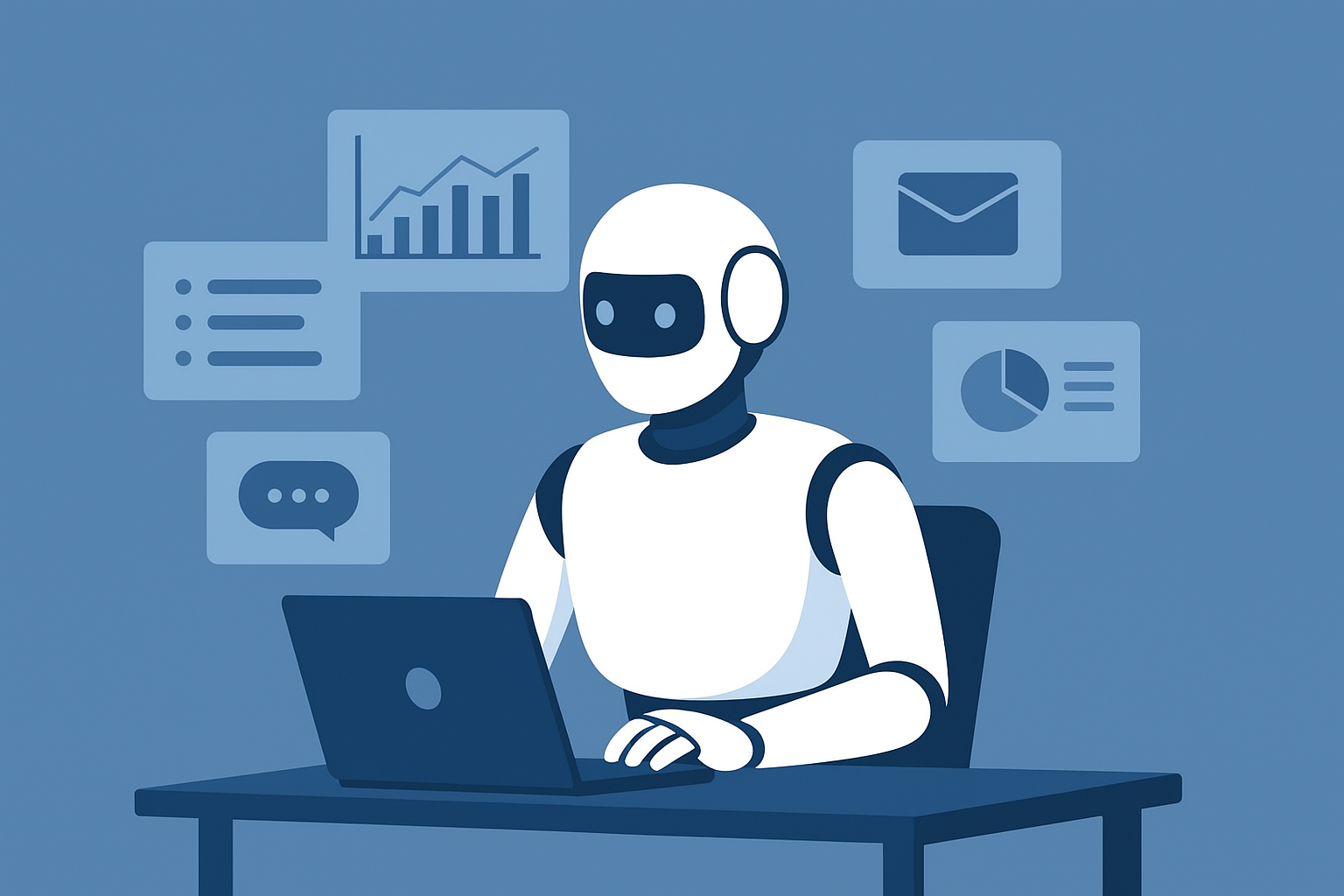
That shift is real, and it’s fast. Across most large organizations, AI agents are now in production or active pilots, and agent adoption has moved from experiment to mandate. But there’s a wide gap between spinning up a demo agent and deploying one across a 2,000-person company without leaking data, blowing your model budget, or failing your next audit.
This guide covers both halves of the problem. First, how to build an AI agent — the components, the step-by-step process, and the choice between building from scratch and using a platform. Second, what enterprises need to get right before they put agents in front of employees: governance, least-privilege access, data privacy, cost control, and model flexibility. By the end you’ll have a clear, vendor-neutral framework for building agents that survive contact with your security team.
An AI agent is an autonomous software system that uses a large language model to reason about a goal and take action to achieve it — interpreting a request, planning the steps, using tools and data to do real work, and adapting as conditions change. Where a chatbot answers and a copilot suggests, an agent acts: it can read your CRM, update a ticket, draft and send a document, or kick off a workflow across several systems.
Four traits define an agent: autonomy (it completes a task without step-by-step instructions), goal-orientation (it works toward an outcome, not a single reply), tool use (it can reach external systems and APIs), and context-awareness (it grounds decisions in your data and the current situation).
The terms get used interchangeably, but they describe three different levels of capability. Here’s how the three compare across the dimensions that matter:
And workflow automation? Traditional automation and iPaaS tools follow fixed, predefined paths and break when the process changes. An agent reasons about what to do next, so it adapts — which is also why it needs the guardrails that rule-based automation doesn’t.
Not all agents are equally sophisticated. AI researchers group them into a few types, from simple rule-followers to systems that learn — a useful lens when you’re deciding how much autonomy a given job actually needs.
In practice, most enterprise agents are built on an LLM and blend goal-based and utility-based behavior, with learning layered in through better instructions and grounding. The textbook category matters less than two practical questions: what can the agent access, and how is it governed?
Most enterprise value starts with a single, well-scoped agent doing one job reliably. As needs grow, organizations coordinate multiple agents — each an expert in its lane — into multi-agent systems that handle broader, cross-functional workflows. The practical advice: start narrow. The multi-agent ambition comes after you’ve proven a single agent in production.
Whether you build from scratch or use a platform, every AI agent is assembled from the same five building blocks. Understanding these core components is the key to both building agents and evaluating any AI agent builder.
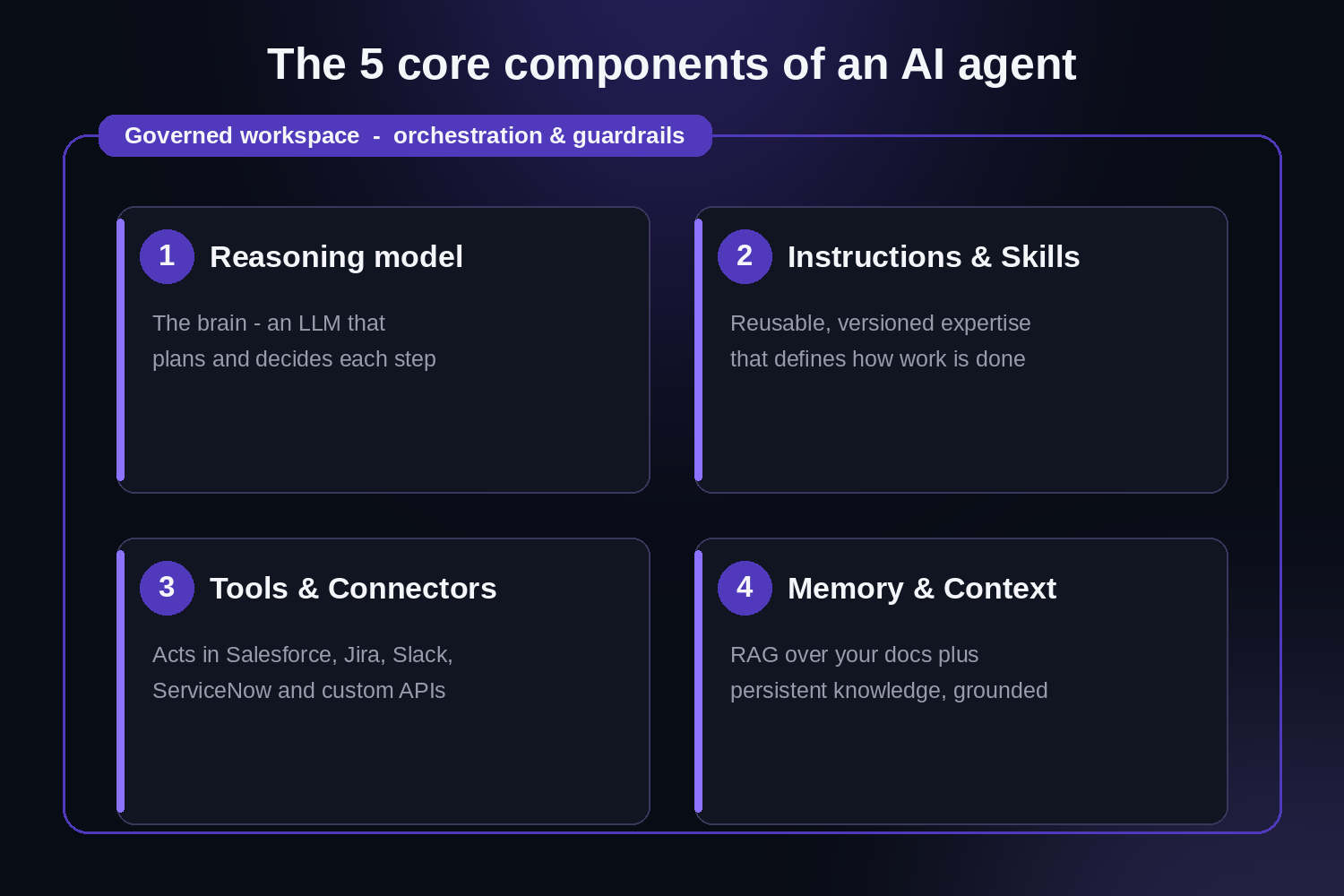
The five components every AI agent is built from — with governance wrapping all of them.
At the core is an LLM that interprets the request, breaks it into steps, and decides which actions to take. Model choice is a real engineering decision: a fast, inexpensive model is right for classification and routing; a frontier model earns its cost on complex reasoning. The most capable setups aren’t single-model — they route each task to the best model and let builders switch models without re-engineering the agent.
An agent is only as good as the expertise you give it. This is the system prompt plus packaged, reusable domain knowledge: how to do the work, what “good” looks like, what to check, and the output format. The strongest platforms let non-engineers author this in plain language and reuse it across agents — OrgLogic calls this layer Skills — so institutional know-how is encoded once, versioned, and shared rather than rewritten for every agent.
Tools are what turn a chatbot into an agent. Through tool calling, an agent reaches outside the model to read and write in real systems — Salesforce, Jira, Confluence, ServiceNow, GitHub, Slack, Google Workspace — and to call custom APIs. The emerging Model Context Protocol (MCP) is standardizing how agents connect to tools and data. For enterprises, the critical question isn’t just how many connectors a platform has, but how tightly each agent’s access can be scoped (more on that below).
Agents need memory to be useful: short-term working memory to track a multi-step task, and longer-term context grounded in your data. In practice that means retrieval-augmented generation (RAG) over your documents and knowledge bases, plus persistent knowledge so an agent doesn’t start from zero each time. Good grounding is also your best defense against hallucination.
The orchestration layer runs the loop — plan, act, observe, repeat — and decides when to hand off to a human. Wrapped around it is the governance layer enterprises cannot skip: permissions, PII redaction, content guardrails, audit logging, and cost controls. In a hand-built agent, you build all of this yourself. In a platform, it’s the environment the agent runs inside. OrgLogic calls this a governed Workspace; the principle is the same regardless of vendor.
Here is a repeatable, vendor-neutral process to create AI agents that make it to production — not just a demo.
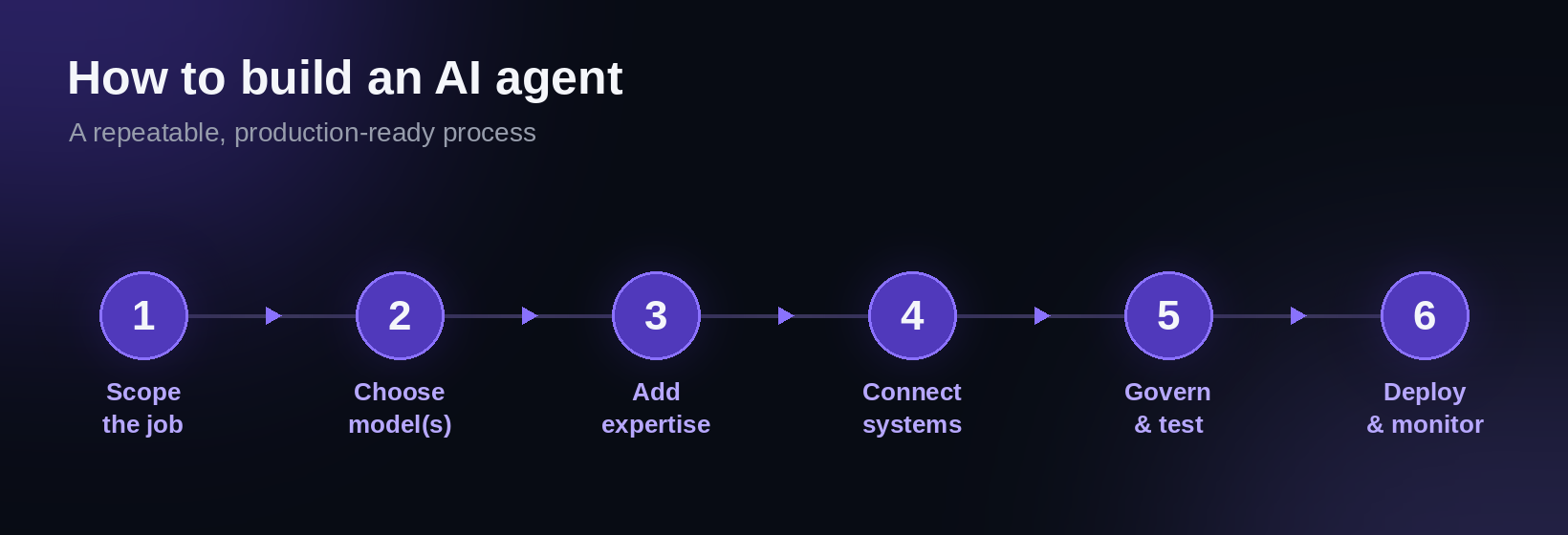
A repeatable process for building enterprise AI agents.
For most enterprises, the right answer is “buy the governed platform, build your agents on top of it.” Here’s the trade-off.
The build-from-scratch path. Open-source frameworks and SDKs — LangChain, LangGraph, CrewAI, AutoGen, the OpenAI Agents SDK, and others — give you maximum control over how an agent reasons, plans, and orchestrates. They’re powerful, and for a differentiated, product-embedded agent they can be the right call. The catch: the framework is the easy 20%. The other 80% — identity and SSO, per-agent permissions, audit logging, PII redaction, cost controls, multi-model routing, multi-surface delivery, and ongoing maintenance — you build and own yourself. Most internal builds take 6–12 months and several engineers, and still arrive without enterprise governance.
The platform path. An enterprise AI agent platform gives you a builder plus all of that governance and security baked in. You trade some low-level control for speed, safety, and a far lower total cost of ownership. For the vast majority of internal use cases — sales, support, IT, HR, engineering — this is the faster and safer route.
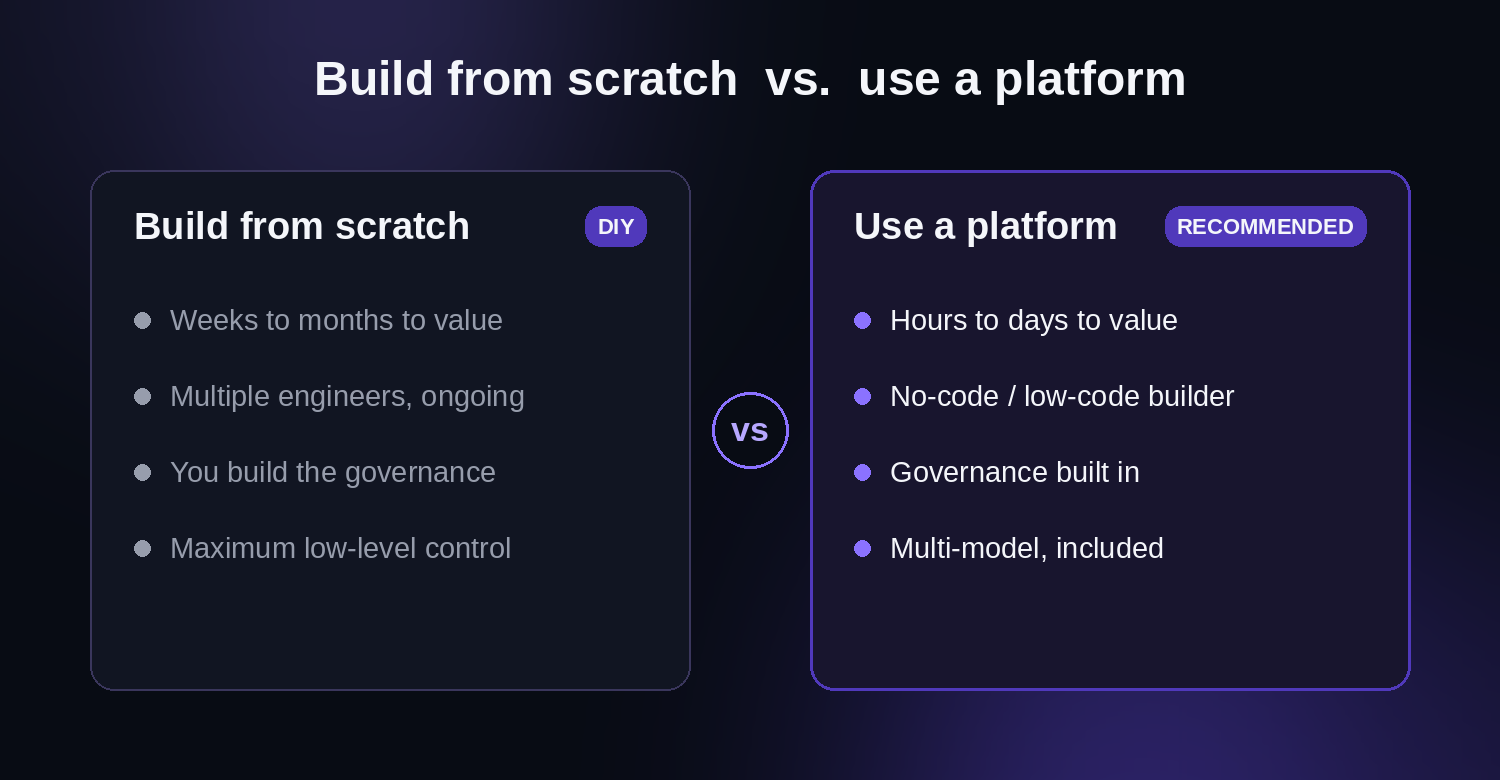
Most enterprises should build their agents on a governed platform rather than from scratch.
At a glance, here’s how the two approaches compare:
A practical middle path: use a platform for the 90% of internal use cases, and reserve from-scratch builds for the one agent that’s part of your product.
The model is the easy part. These are the dimensions that determine whether your agents pass a security review and survive at scale — and the questions every CISO, CTO, and Head of IT should ask of any AI agent builder platform.
Notice the pattern: every item is about control and trust, not raw capability. That’s the real enterprise bar.
Read more: Shadow AI: What It Is, Why It Happens, and How to Stop It
OrgLogic is the enterprise AI agent platform that maps to everything in this guide — a builder for the agent and a governed environment for the enterprise.
You build agents the way this guide describes:
And it clears the enterprise bar by default:
Teams at Snowflake, Spotify, Rakuten, Snap, and Wayfair build on OrgLogic, alongside 600+ enterprise deployments. It’s SOC 2 Type II and ISO 27001 certified, with HIPAA and GDPR support. One customer — a publicly traded autonomous-vehicle company with roughly 1,500 employees — cut AI spend by 70% and reduced shadow AI by 91% within six weeks of rolling it out.
Pricing is $8/seat/month (annual) or $10 monthly, with a free tier for up to 25 users. Model usage is separate and transparent: BYOK at zero markup, or OrgLogic-provisioned at cost plus 6%.
Building an AI agent is no longer the hard part — the components are well understood and the process is repeatable. The hard part is building agents your security team will approve, your finance team can predict, and your employees will actually use. That comes down to governance, least-privilege access, data privacy, cost control, and model flexibility. Get the agent right and you’ve built a demo. Get the enterprise layer right and you’ve built something that scales.
An AI agent is software that uses an AI model to complete a task on your behalf — it understands a goal, plans the steps, uses tools to act in real systems, and adapts as it goes. Unlike a chatbot that only answers, an agent does the work.
A chatbot answers scripted questions; an assistant (or copilot) helps a person in the moment by drafting or suggesting; an AI agent acts autonomously to complete a task end-to-end, reading and writing in your systems within set guardrails.
Not necessarily. Building from scratch with frameworks like LangChain requires engineering. But modern AI agent builder platforms let non-technical users create agents with no code — defining the agent’s role, expertise, and system access in plain language.
On a no-code platform, a well-scoped agent can be built in hours to days. Building from scratch with custom frameworks typically takes weeks to months, plus ongoing maintenance — and that’s before adding enterprise governance.
For most internal use cases, use an enterprise AI agent platform rather than building from scratch. You get the agent builder plus the governance, security, and cost controls — audit trails, per-agent permissions, PII redaction, multi-model access — that a hand-built agent would otherwise require you to build yourself.
There are two costs: the platform (seat or license fees) and model usage (tokens consumed). Watch the second carefully — without budgets and routing it can grow fast. OrgLogic, for example, is $8/seat/month with model usage billed transparently at cost (BYOK) or cost plus 6%.
They can be — if the platform is built for it. The essentials are least-privilege per-agent permissions, BYOK so your data never leaves your control, PII redaction, full audit trails, and recognized certifications like SOC 2 Type II and ISO 27001.
The best platform combines an easy builder with enterprise-grade governance. Evaluate any AI agents platform on five things: how easily non-engineers can build agents, connector breadth and per-agent permission scoping, data privacy (BYOK, no training on your data), cost controls, and multi-model flexibility. OrgLogic is built specifically to meet that bar.
MCP is an emerging open standard for connecting AI agents to external tools and data sources in a consistent way. It’s part of a broader move toward interoperable agents that can plug into many systems without custom integration for each one.

Single-model AI tools lock you into one provider at $25-60/seat. OrgLogic is a multi-model AI workspace with named Agents that act in your systems (Salesforce, Jira, Confluence, ServiceNow), packaged Skills for domain expertise, and full governance at $8/seat. You get every model, not just one.

Bring Your Own Key means you connect your own API keys from OpenAI, Anthropic, Google, or any provider. Your data flows directly to the model provider. OrgLogic never sees, stores, or processes your prompts or responses. Zero surcharge on your own keys. This is the #1 requirement for security teams evaluating enterprise AI platforms.
An Agent is a named AI worker with a defined job, connected to your systems via Connectors. A Skill is packaged expertise that teaches an Agent how to do specific work consistently. Unlike a generic chatbot, a Deal Prep Agent with a Salesforce Connector pulls real CRM data and produces structured call briefs. Skills are reusable across Agents, versioned, and authored in plain language.
Every Workspace includes per-Agent Connector permissions (each Agent gets scoped access, not blanket access), Agent-level audit trails, automatic PII redaction, per-team budget controls, model-level access controls, and configurable guardrails. Governance is the default environment on every plan, including Free. SOC 2 Type II, ISO 27001, HIPAA, and GDPR compliant.
The Free plan covers 25 users with $500 in credits ($20 per active user, pooled). The Business plan is $8/seat/month (annual) or $10 monthly. The seat fee covers the full platform: Agents, Skills, Connectors, governance dashboard, 5 surfaces, and all features. Model usage is separate: BYOK at zero surcharge, or OrgLogic-managed models at cost + 6%.
80% of employees already use AI tools without IT approval. OrgLogic replaces fragmented, ungoverned tools with one AI workspace employees actually want to use, available on web, Slack, Teams, Chrome, and API. One customer, a regulated tech company with 1,500 employees, reduced shadow AI by 91% within 6 weeks while cutting AI spend by 70%.
OrgLogic Connectors integrate with Salesforce, Jira, Confluence, ServiceNow, SharePoint, Google Workspace, Slack, SAP, and more via custom APIs. Each Connector has per-Agent permission scopes controlled by IT, so your Deal Prep Agent only accesses the Salesforce objects you approve. The Connector library is growing and new integrations ship regularly.
Self-serve signup takes 30 seconds. Connect your API keys in 2 minutes. Deploy pre-built Agents for sales, support, engineering, HR, and legal on day one. The Free plan (25 users, full governance) lets you pilot without procurement. One customer had engineers adopting within 2 weeks across Slack and Chrome. Enterprise plans add SSO/SCIM, VPC, and on-prem deployment.